



New! Counter Loop Videos Available on the Digital Asset Library (DAM)
See below for detailed and visual instructions to register for the Digital Asset Library (DAM) and access ABL's counter loop videos.
How to Register:
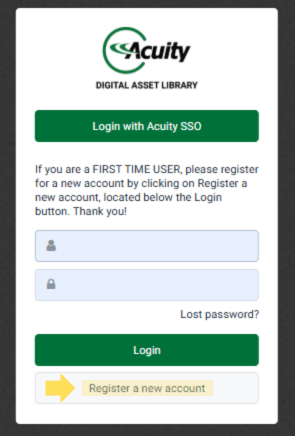
- Navigate to: https://dam.acuitybrands.com.
- Click "Register a new account".
- Enter all of your details and click "submit".
- After, your registration will go through an approval process (may take up to 3 business days for your account to be activated).
- You will receive an email notifying you if the request was approved or rejected. If rejected, a system administrator will reach out to you to resolve the issue.
- Once approved, click the link in the email you receive. This will prompt you to complete your registration and create a password for the system.
- After registration is complete, navigate back to https://dam.acuitybrands.com and login with your new username and password!
How to Access Counter Loop Videos:
- Now that you have an account, login to the Acuity Digial Asset Library with your credentials.
- This is what you will see when you login:
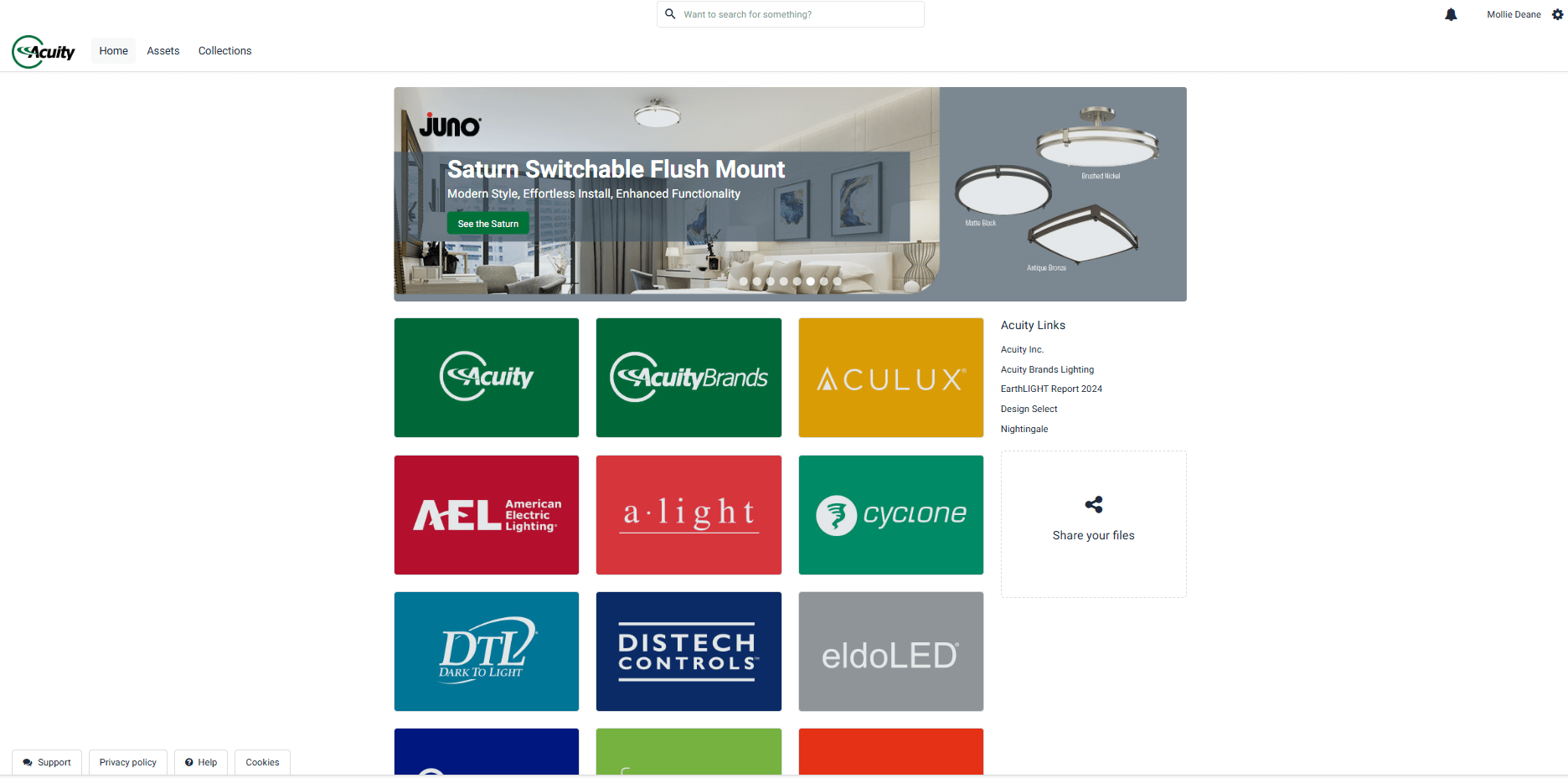
3. Navigate to the "Assets" tab in the top left corner.
4. Choose the "Video" filter under "Asset Type" & "Counter Loop" under "Asset Sub-Type". 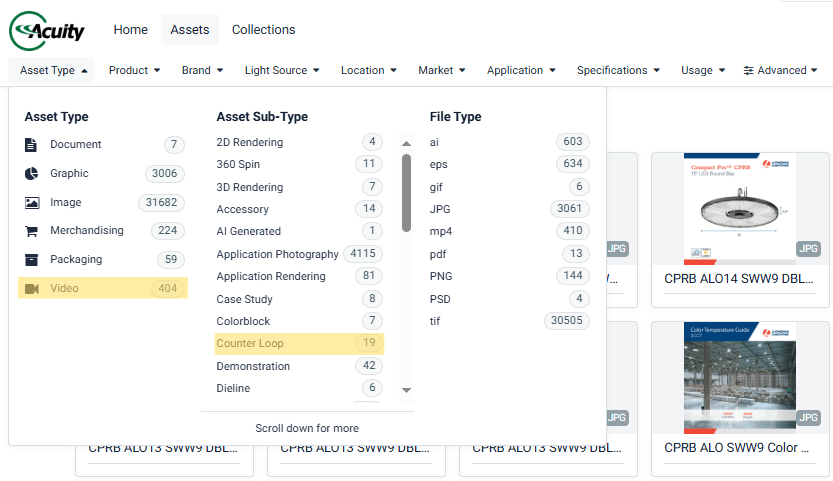
5. Now you have access to all of our Counter Loop Videos!
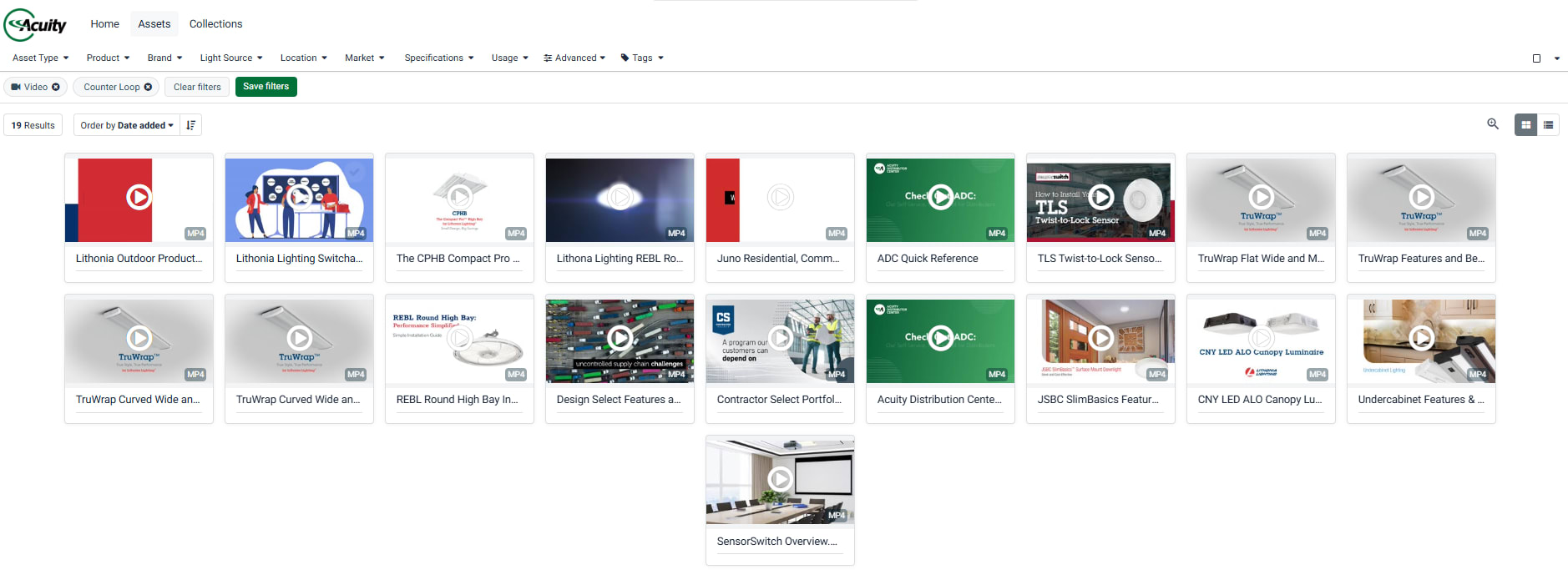
Video Tutorial:

Please contact Kristen Nicholson (kristen.nicholson@acuitybrands.com) if you have any questions!


